



About SoftOrbits AI Photo Editor :
With this Photo Editor, you can easily modify the look of your photographs with its user-friendly interface. It comes with many useful features that let you get professional results quickly.
Visually, the app has an easy-to-navigate and well-organized user interface that most consumers should have no trouble navigating, even if they aren’t tech-savvy.
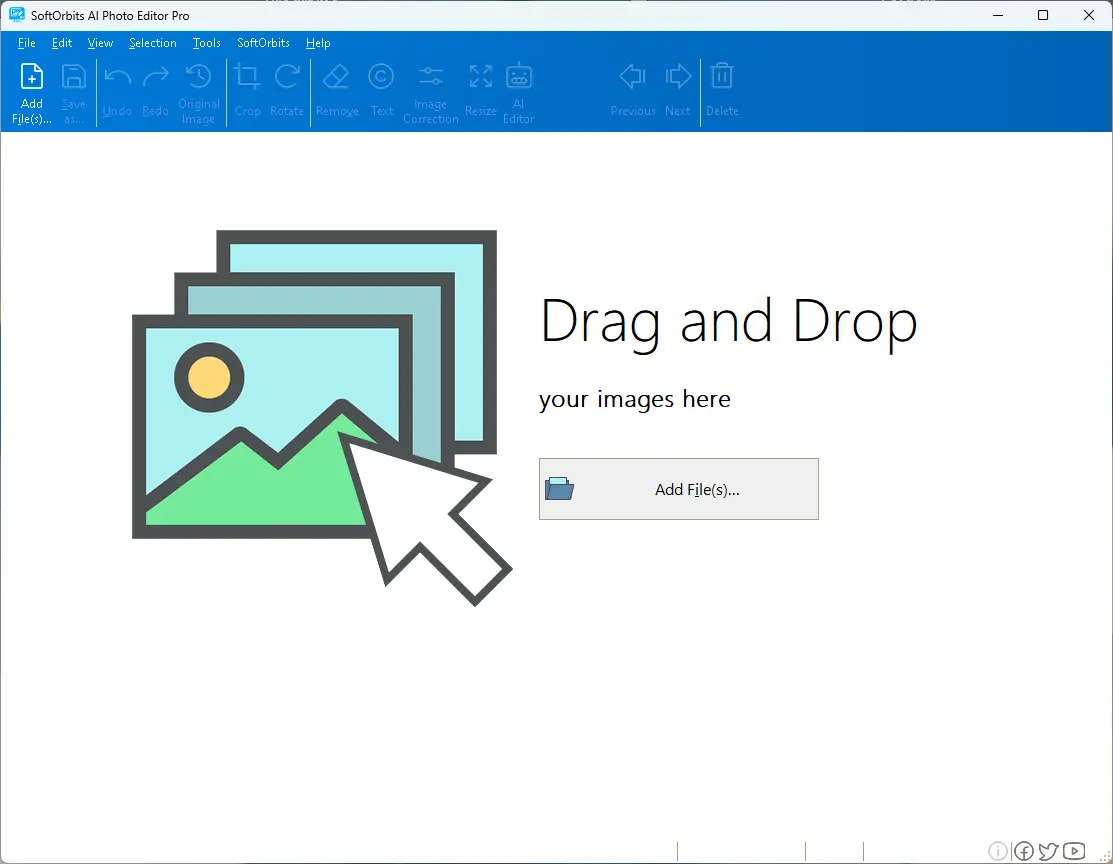
The main window of the SoftOrbits AI Photo Editor lets you open the file you want to edit, while the ribbon gives you access to the “Toolbox,” where you may add several components to your photos. To begin, open the image file in the software.
The software supports the following formats: JPG, BMP, PNG, GIF, TIF, TGA, PSD, PCX, and WMF, ensuring no compatibility issues arise.
Next, on the ribbon of SoftOrbits Photo Editor, you’ll see several tools that you may select from. These include “Crop,” “Rotate,” “Remove,” “Text,” “Image Correction,” and “Resize,” all of which have easily customizable features.
The ‘Crop’ tool allows you to choose to remove unwanted parts of the image, while the ‘Rotate’ tool allows you to tilt it to your liking. Use the ‘Remove’ tool to select an area of your photo to erase, but it works best with smaller things.
The goal of SoftOrbits Photo Editor is to help you enhance the appearance of your favorite photographs without requiring you to learn how to operate complex software merely to make minor adjustments. The application is intuitive and easy to use.
Visually, the app has an easy-to-navigate and well-organized user interface that most consumers should have no trouble navigating, even if they aren’t tech-savvy.
The main window of the SoftOrbits AI Photo Editor lets you open the file you want to edit, while the ribbon gives you access to the “Toolbox,” where you may add several components to your photos. To begin, open the image file in the software.
The software supports the following formats: JPG, BMP, PNG, GIF, TIF, TGA, PSD, PCX, and WMF, ensuring no compatibility issues arise.
Next, on the ribbon of SoftOrbits Photo Editor, you’ll see several tools that you may select from. These include “Crop,” “Rotate,” “Remove,” “Text,” “Image Correction,” and “Resize,” all of which have easily customizable features.
The ‘Crop’ tool allows you to choose to remove unwanted parts of the image, while the ‘Rotate’ tool allows you to tilt it to your liking. Use the ‘Remove’ tool to select an area of your photo to erase, but it works best with smaller things.
The goal of SoftOrbits Photo Editor is to help you enhance the appearance of your favorite photographs without requiring you to learn how to operate complex software merely to make minor adjustments. The application is intuitive and easy to use.
You must reply in thread to view hidden text or upgrade your account to always see hidden content.


